


My Straight Talk: Mobile App
4.344.87K Reviews
App Specs
- Version
- R29.3.0
- Updated On
- License
- Free
- Downloads
- 10,000,000+
- Developer
- Straight Talk
- Categories
- Communication
- Platform
- Android, iOS
Screenshots
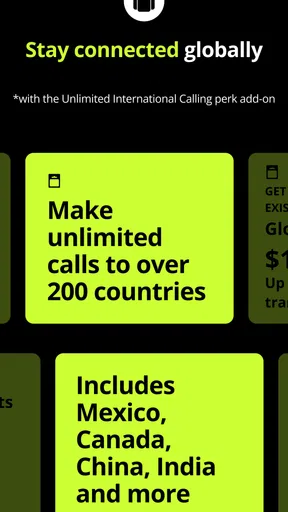
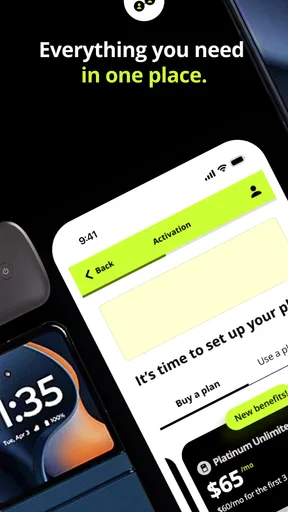
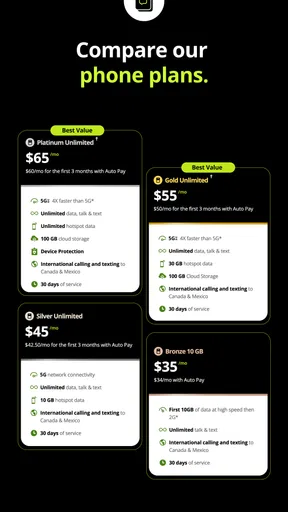
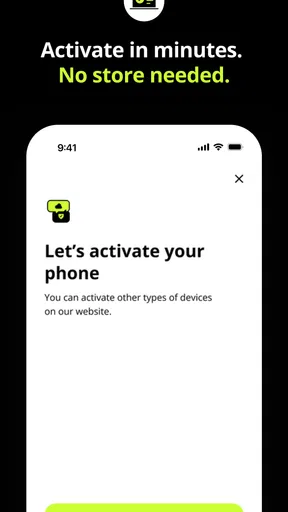
 Analysis by AppCompare
I think of My Straight Talk as a practical tool for the moments when a phone plan affects the rest of the day: checking whether data is running low, keeping a refill in mind, or confirming when service ends. It is a communication companion, not a messaging app; its value is in helping me stay connected by making the account side of mobile service easier to keep track of. If you use Straight Talk, that distinction matters. The app is most useful when you want a quick account check without turning a small question into a call or a search through old messages.
When the plan itself needs attention
A phone plan can quietly shape how freely I use my phone. If I am relying on mobile data for maps, work messages, or a call while away from Wi-Fi, uncertainty about remaining usage can make me second-guess ordinary choices. Having account details in one place gives me a way to check before that uncertainty starts steering the day. The app’s purpose is not to improve signal or change how other people communicate with me; it helps me manage the service that makes those conversations possible.
That is why I would recommend it first to people who already use Straight Talk and prefer handling routine account tasks themselves. The app is free, and its Everyone age rating makes it broadly accessible, though younger users may still need help with account or payment decisions. Straight Talk developed it as a companion for its own service, so it is not a general phone-plan manager for customers of other carriers. If you are not a Straight Talk customer, it has little reason to occupy space on your phone.
Useful checks, without turning the phone into a project
In an ordinary week, I might open the app before leaving home, check usage, and then decide whether I am comfortable streaming or navigating on mobile data during the day. That small check can be more useful than waiting for a surprise or trying to reconstruct my usage from memory. I would also treat any usage figure as a planning aid rather than a reason to obsessively refresh: a quick check before a data-heavy outing is usually more helpful than monitoring the screen every few minutes.
The same idea applies to service dates and refills. I would check the account before a busy stretch, such as travel or a week when I know I will be away from reliable Wi-Fi, rather than waiting until service is close to ending. If I share household responsibilities, checking the account at a regular time can also make it clearer who is handling the next refill. These are modest routines, but they reduce the mental load of keeping a plan in the back of my mind.
How it changes the rhythm of staying reachable
Unlike a messaging app, My Straight Talk does not organize conversations or decide when someone can reach me. Its influence is more indirect: it helps me understand the service behind calls, texts, and mobile data, which can make me feel less hesitant about relying on my phone away from home. For account questions, it is a more direct starting point than searching general carrier information, while a phone’s built-in settings are usually better for checking device-level details such as which apps use data.
That distinction is worth keeping in mind. I would use the carrier app to review the plan and its account-related details, then use the phone’s settings to investigate a sudden increase in consumption or limit background activity. Neither view replaces the other. A carrier account gives the service-side perspective; device settings help explain what the phone itself has been doing. Using both when something looks unusual is more useful than assuming one screen tells the entire story.
Worth Reading Before You Choose

EA SPORTS FC Mobile 26 Is a Bigger Football Game, but It Takes Time

Flipboard Shows What News Apps Must Do Beyond the Feed

Switching to Android Auto Means Rethinking Your Driving Routine

Google Calendar Makes a Crowded Week Easier to Manage

Ludo King Makes the Most of the Minutes Between Plans

Baby Panda World Brings Quick Play to Modern Phones, but Its Game Library Feels Busy
For a realistic example, imagine I am about to spend an afternoon out, with directions and messages likely to depend on mobile data. I can check the account beforehand, notice whether I should be more careful, and make a choice about using Wi-Fi when available. The point is not to ration every minute online; it is to make that choice before I am in a hurry. That kind of small bit of preparation can keep a plan concern from interrupting the conversation or task I actually care about.
Getting Started with My Straight Talk
First off, downloading the My Straight Talk app is a breeze. It’s available on both Android and iOS, so all you need is a few clicks, and you’re ready to roll. Once you open the app, you’re greeted with a clean and intuitive interface. I love how straightforward it is—no unnecessary clutter, just the essentials you need to manage your account.
Main Features
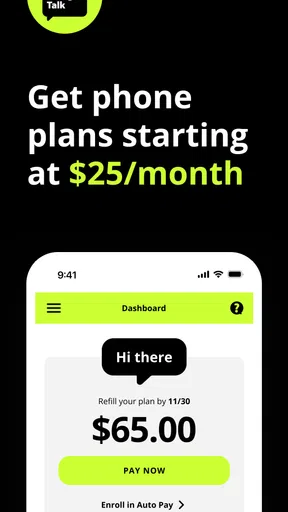
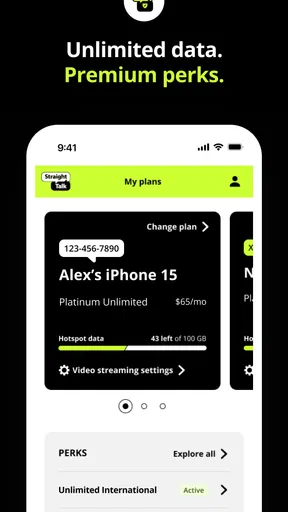
What really caught my eye are the features packed into this tiny app. You can check your data usage, refill your service plan, and even keep track of your payment history. It’s like having a personal assistant that keeps tabs on your phone plan. And for those moments when you’re running low on data, you can easily add more without any fuss.
- View usage and service end dates
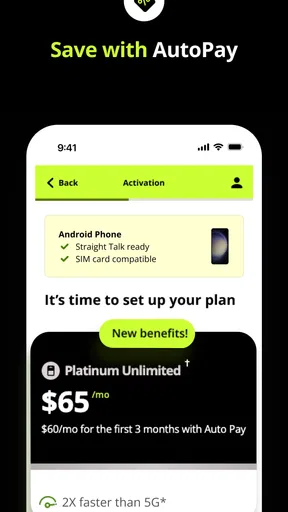
- Access to exclusive offers and discounts
- Seamless plan refill options
Oh, and did I mention the app sends you reminders for payments? It’s like having a friend who nudges you before you forget to pay your bill.
User Experience
Now, let’s talk about user experience. Navigating through the app is smooth, and everything loads pretty quickly. I didn’t encounter any annoying lags, which is a huge plus in my book. Plus, the app layout is super intuitive. Even if you’re not tech-savvy, you’ll get the hang of it in no time.
One thing I appreciate is the customer support feature. If you ever hit a snag, you can easily reach out for help without having to dig through endless menus. It’s all right there, just a tap away.
Who will get the most from it
The app suits people who like to manage their own mobile account and want a straightforward place to check usage, dates, and refills. It is also useful for someone helping a relative keep track of a Straight Talk line, provided they have the appropriate account access. I would not choose it as a way to compare carriers or shop broadly for a better plan: its job is to serve existing customers, not provide a neutral view of the market.
Compared with calling customer support for every routine question, an account app can save a step when the answer is already visible. Compared with a carrier’s website, it is the more natural option for a quick check on a phone, while a larger screen may be more comfortable for carefully reviewing account details. The best alternative depends on the task: use the app for everyday account management, the phone’s settings for device-level data questions, and direct support when a personal issue needs a person’s help.
Practical habits and small trade-offs
One useful habit is to check service timing and usage together before a trip or a period when I expect to rely on mobile data. Looking at both gives a better basis for planning than reacting to a single number in isolation. I would also keep payment reminders as a backup rather than my only system; if a refill is important for work or family coordination, adding a personal calendar reminder creates a second nudge without requiring constant app checks.
Another sensible approach is to separate “my phone is using a lot of data” from “my account needs attention.” The app is the right place to investigate the latter, while the device’s settings can help identify which apps are consuming data. If the two views seem inconsistent, I would avoid making an immediate assumption and check again later or contact support. This is a service-management tool, not a full diagnostic suite, so it is strongest when used for the account questions it is designed to answer.
There are trade-offs to the convenience. Managing service in an app still depends on being able to access the account and on the app working when I need it; it is wise to know how I would handle an urgent account issue through another support route. And because its usefulness is tied to Straight Talk, people who switch providers will have to use their new carrier’s tools instead. That narrow focus is also a benefit: the app does not need to be a universal communications hub to be handy for its own customers.
Attention, boundaries, and expectations
I like that this kind of utility can support a calmer relationship with the phone without asking me to spend more time in it. I can decide on a simple check-in rhythm—before a trip, near a service date, or when I have a reason to review usage—then close the app and get back to what I was doing. It is not a tool for silencing notifications or setting communication boundaries with other people, so I would pair it with the phone’s notification controls if interruptions are the real problem.
That distinction helps set expectations. If I need to avoid distractions, the app will not replace focus settings or a conversation about when I am available. If I need to understand my plan and take care of a refill, it can make that task feel more contained. In my view, the best use is occasional and purposeful: open it with a question in mind, handle the account task, and leave rather than turning account checking into another routine screen to monitor.
How dependable should it feel?
My experience with the interface was smooth, but no account app removes every point of friction. A payment or service change is important enough that I would verify the result rather than assume a tap completed the task. If something does not look right, checking the account again and using the available customer support route is more sensible than repeatedly trying the same action without knowing what happened. That is ordinary caution for any app connected to a mobile plan, not a reason to avoid this one.
It has been around since Jul 26, 2013, and the current version is R27.17.0, with Android 7.0 as the stated minimum operating system. Its scale is also notable: it has more than 10 million installs, a 4.5 average rating from around 277,000 ratings, and about 42,000 written reviews. Those figures suggest that many customers have found a reason to use it, but they do not tell me whether it will fit every account or solve an individual support problem. I would judge it by whether it makes my own plan easier to stay on top of.
Final Thoughts
In a nutshell, the My Straight Talk app is a must-have for anyone using Straight Talk services. It simplifies managing your phone plan and keeps you in the loop with everything you need. While it’s not packed with bells and whistles, it does its job efficiently. So if you’re all about convenience and staying on top of your mobile plan, give this app a whirl. You might just find it makes your life a tad easier.
Remember, in the world of mobile plans, staying informed and in control is key. And this app does exactly that, with a touch of simplicity and ease.
My social verdict
My recommendation is simple: if Straight Talk is your service and you want a convenient way to handle everyday account checks, this is a sensible app to try. If you are looking for a place to chat, control phone interruptions, compare providers, or troubleshoot every device problem, I would choose a different tool for those jobs. For me, its strength is modest but real: it helps keep the practical side of staying reachable clear, so I can give more attention to the people and plans that matter.
Pros
- User-friendly interface for easy navigation.
- Quick access to account balance and usage.
- Secure login with biometric options.
- Real-time updates on data usage.
- Supports multiple payment methods.
Cons
- Limited customer support options.
- Occasional app freezes reported.
- No dark mode available.
- Lacks advanced account management features.
- Notifications can be delayed.
FAQs for My Straight Talk: Mobile App
What features does the My Straight Talk app offer?
The My Straight Talk app provides a range of features including the ability to check your balance, view service end dates, and purchase additional data or plans. It also allows users to track their data usage, manage their account settings, and receive notifications for important updates, ensuring a seamless user experience.
Is the My Straight Talk app free to use?
Yes, the My Straight Talk app is free to download and use. However, any purchases made through the app, such as additional data or service plans, will incur charges. It's important to connect the app to your Straight Talk account for full functionality and to monitor any potential fees.
On which devices is the My Straight Talk app available?
The My Straight Talk app is available on both Android and iOS devices. It is designed to work seamlessly across various smartphones and tablets, ensuring accessibility for a wide range of users. Make sure your device meets the minimum OS requirements for optimal performance.
How secure is the My Straight Talk app?
The security of the My Straight Talk app is a priority, featuring password protection and secure login options to safeguard your account. Regular updates are released to enhance security measures. Users are encouraged to keep their app updated and to use strong, unique passwords for added protection.
Can I manage multiple accounts with the My Straight Talk app?
Yes, the My Straight Talk app allows you to manage multiple accounts. This feature is particularly useful for families or users with multiple devices. You can easily switch between accounts to monitor usage, pay bills, and manage services, all within a single app interface.


